
Three numbers and a tap
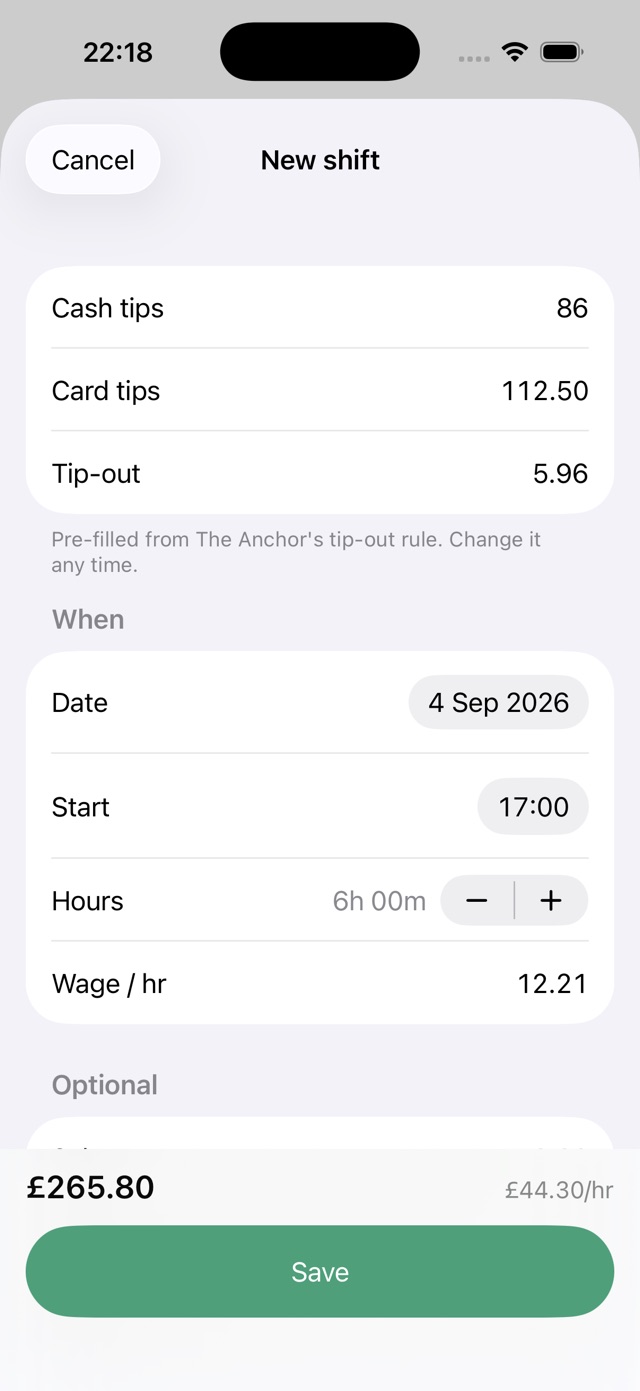
Cash, card, tip-out. Your wage, start time and hours are already filled in from your job and your last shift. Change what was different tonight and save.
 Tillside
For the people who close up
The tip tracker for servers and bartenders. Cash, card, tip-out, hours. Know what you actually made before the apron comes off.
 Good shift. Know what you made.
01 / After the last table
Cash, card, tip-out. Your wage, start time and hours are already filled in from your job and your last shift. Change what was different tonight and save.
Tip-out comes off, wage goes on, and the rate is total earnings divided by hours. The same maths runs behind every figure in the app, so two numbers on one screen never disagree.
Stored on your iPhone and mirrored to your own private iCloud. Export the lot as a CSV whenever you like, free, including shifts older than the free tier displays.
02 / A little nightly ritual
Name, hourly wage if you have one, and your tip-out rule: none, a flat amount, a percentage of tips or a percentage of sales.
Tap the plus, type cash and card tips, check the pre-filled tip-out and hours, save. A toast tells you the total and the rate.
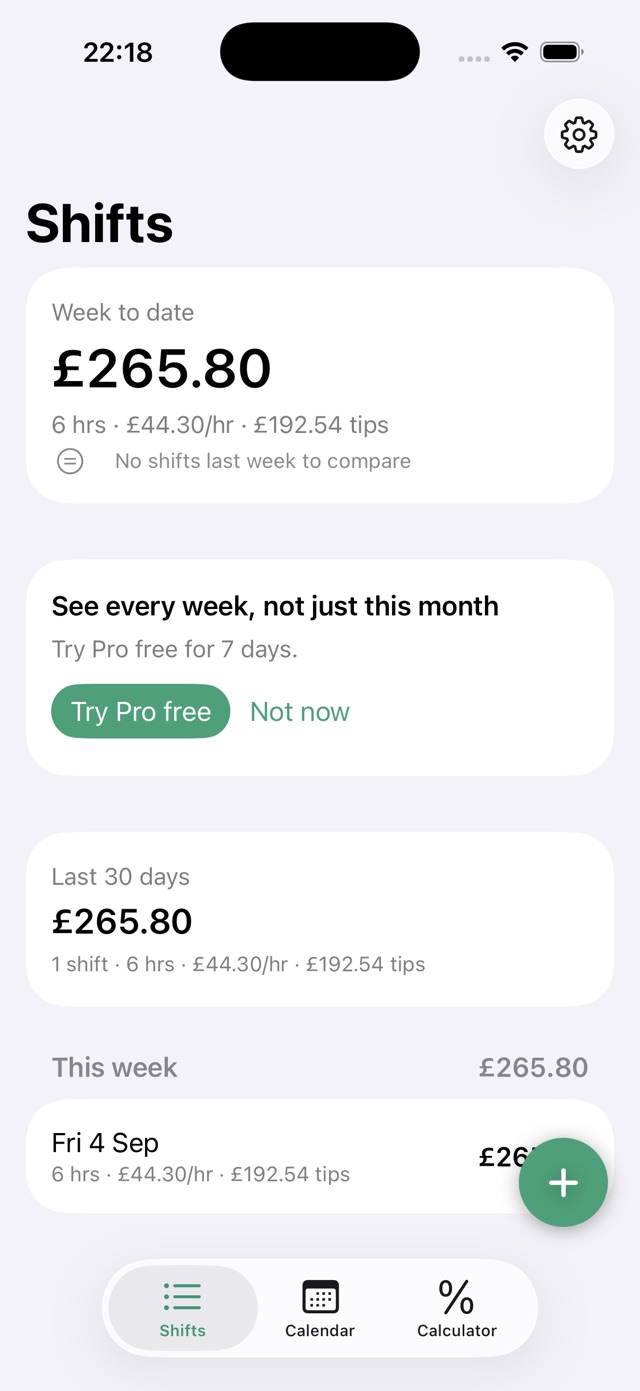
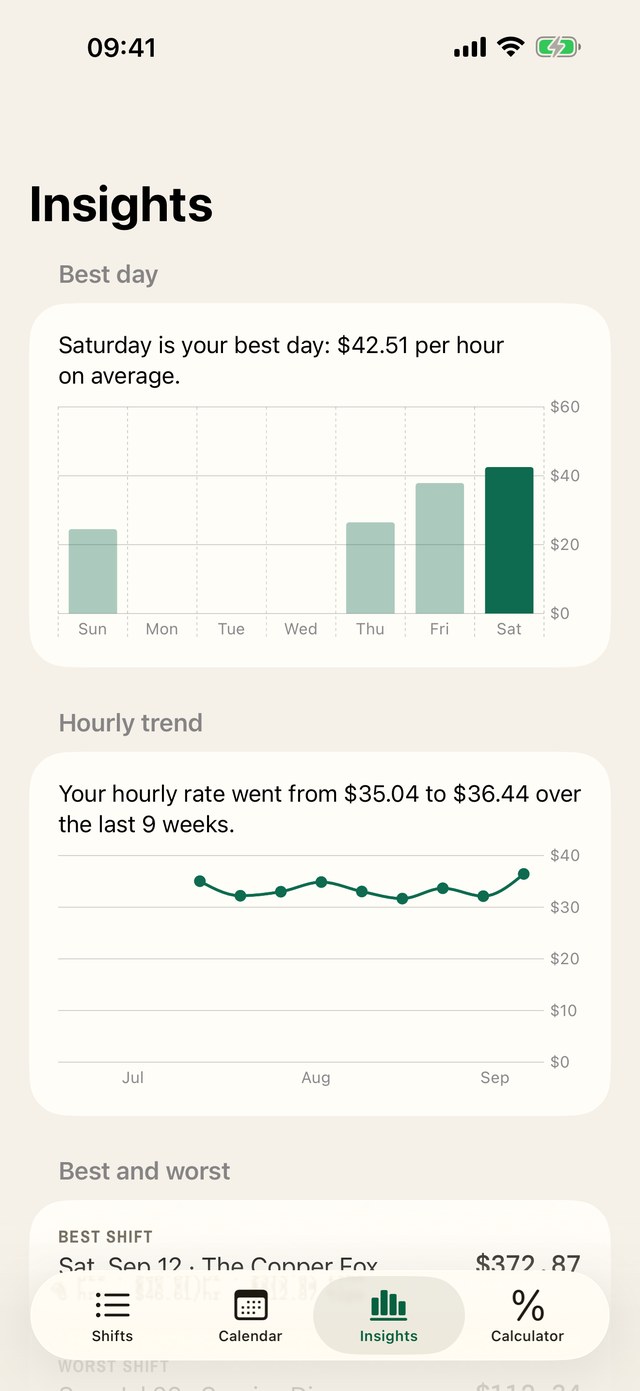
The Shifts screen shows week-to-date earnings, hours and hourly rate, with a subtotal for every week. After five shifts Insights names your best day; with Pro it shows the whole weekday chart and your rate's trend.
03 / Your working week, on paper
The docket design in Tillside 1.1, available now. Sample shifts shown; your earnings will vary.
04 / No surprises on the bill
The paywall never gates logging, export, reminders, the widget or the calculator. Pro is for history, more jobs and Insights, never for access to your own data. Prefer not to subscribe? Buy it once.
US$0
US$3.99 a month or US$24.99 a year
US$59.99 once
United States (USD) App Store prices. Confirm the final price in the app; your Apple Account country determines your price. Subscriptions can be cancelled through your Apple Account. Lifetime is a single purchase.
05 / The sidework
Tip-out maths, keeping your records, and choosing the right tracker. Practical reading for after the rush.

What to write down after every shift, why net tips matter more than gross, and how to make tracking your tips a 30-second habit.
Read the guide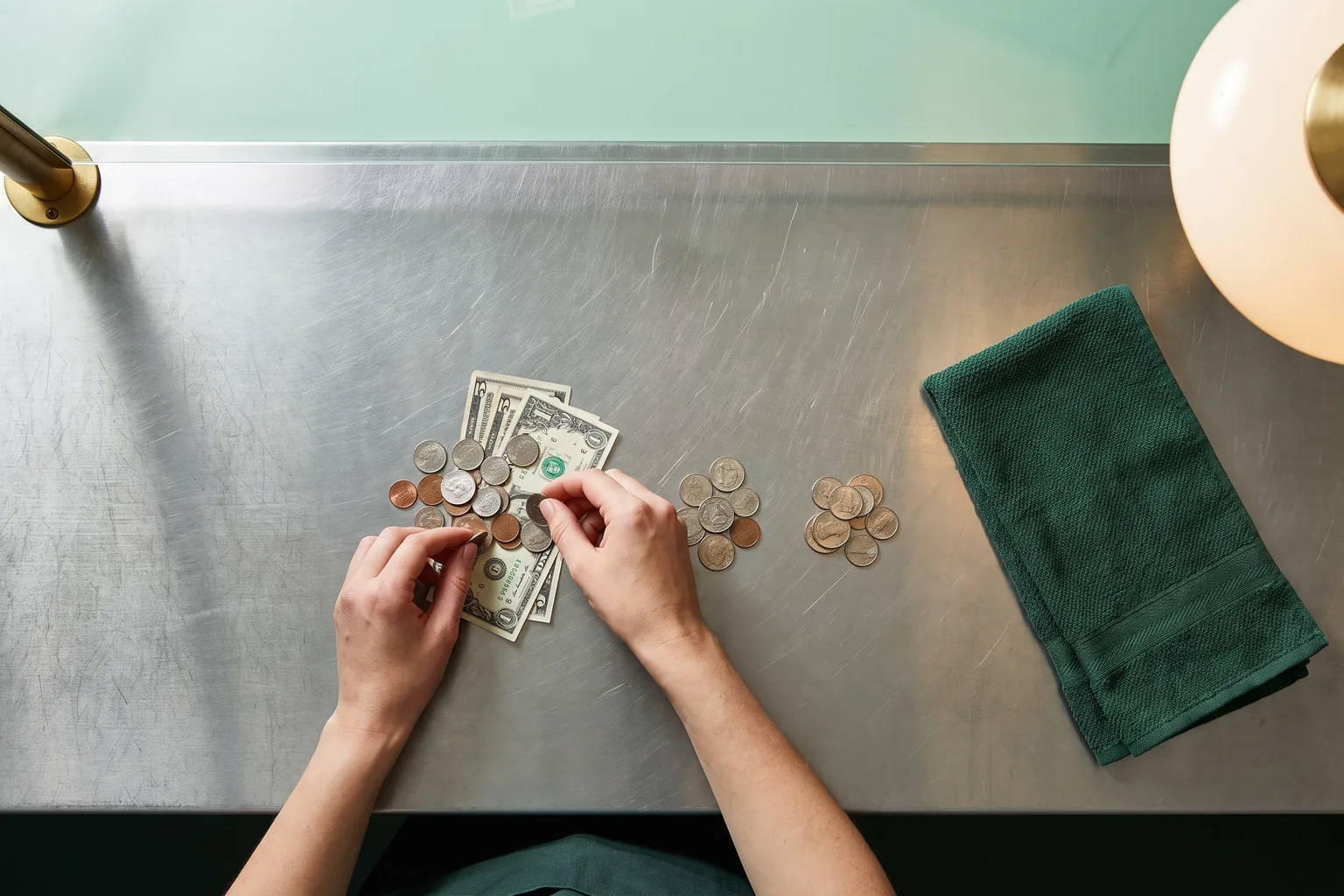
Tip-out with worked examples: percentage of tips, percentage of sales and flat amounts, typical rates, and how to make the deduction automatic.
Read the guide
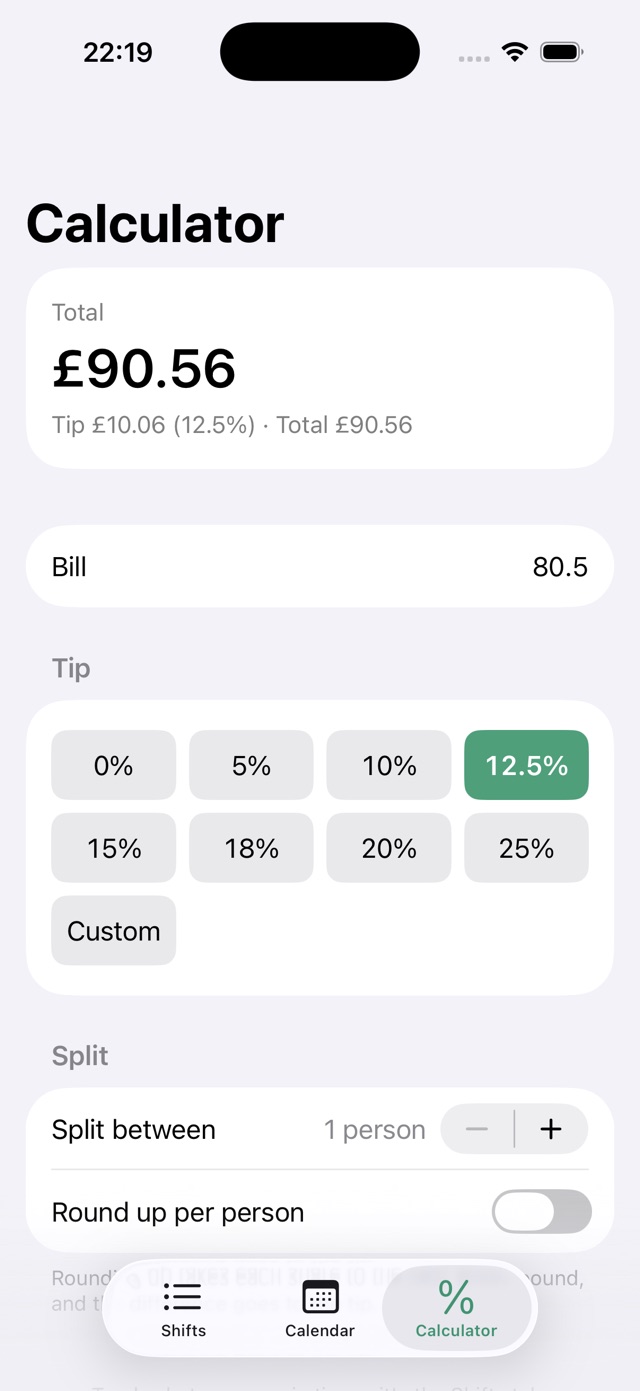
What did you earn per hour? Enter tips, wages and hours. This free calculator subtracts tip-out and shows total earnings and your hourly rate.
Read the guide
The daily tip record the IRS asks tipped workers to keep, how long to keep it, and how to export a clean year of shifts from Tillside.
Read the guide
A free tip tracking layout for Google Sheets or Excel: the columns, the three formulas, a CSV download, and when a spreadsheet stops being worth it.
Read the guide
Compare Tillside, ServerLife, TipSee and a spreadsheet: free features, ads, backups and limitations. Find the right way to track your shifts.
Read the guideWrite down four numbers after every shift: cash tips, card tips, what you tipped out, and hours worked. Tillside asks for exactly those, pre-fills your wage and tip-out rule, and works out net tips and your hourly rate. The whole entry takes about 30 seconds.
Net tips are cash plus card tips minus tip-out. Total earnings are net tips plus your hourly wage times hours worked. Your effective hourly rate is total earnings divided by hours. Every figure in the app comes from those three lines.
Yes. Each job has a tip-out rule: none, a flat amount, a percentage of tips, or a percentage of sales. The rule pre-fills the tip-out field on every new shift, and you can overwrite it on any night that was different.
Yes. Logging shifts, the widget, reminders and full CSV export are free, with no ads. The free tier shows the last 30 days and one job. Tillside Pro adds full history, Insights and unlimited jobs with monthly, yearly and lifetime options. The yearly plan includes a 7-day trial. See the pricing section for App Store prices by country.
No, and it never will. Tillside is paid for by the optional Pro subscription, not by advertising. There is no ad SDK in the app at all.
Tillside stores every shift on your iPhone and mirrors it to your own private iCloud database when iCloud is on. Shifts that have finished syncing can return when you reinstall using the same Apple Account with iCloud enabled. Export a CSV for a separate copy. There is no Tillside account to lose, and no server of ours holds your data.
Yes, for free, for your whole history. Settings, then Export, produces a CSV with one row per shift: date, job, hours, wage, cash tips, card tips, tip-out, net tips, total earnings and your hourly rate. It opens cleanly in Excel, Numbers and Google Sheets.
Yes, with Tillside Pro. Each job keeps its own wage, tip-out rule and colour, the shift sheet shows a job switcher, and the Shifts screen can filter to one job so you can compare where your hours pay best.
Insights. With Pro it ranks the seven days by your average hourly rate, plots your rate over the last twelve weeks, names your best and worst shift, and compares this month with last month to the same day, once you have five shifts. Free users see the charts blurred over sample data, with their own best-day sentence in front after five shifts.
If you ask it to. After three shifts it offers a nightly reminder for your job, at 23:00 by default, only on nights you have not logged a shift at that job. It is off by default, and the time and the switch live in the job's settings. Tapping the notification opens the New Shift sheet.
Yes. Money is shown in your own currency, weeks start on the day your region uses, and the tip calculator defaults to local norms such as 12.5% in the UK. Tillside is available on the US, UK, Australian and Canadian App Stores.
Keep the record. Lose the guesswork.
Free on the App Store. Set up your job, log your first shift, and see the number.
Tillside: Tip Tracker for iPhone, iOS 17 or later.